Company Information
Not all menu items are always available. This is the new one.
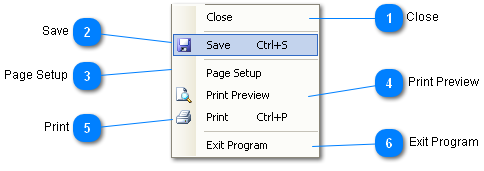
 Close
|
|
 Save
Saves the information in the edit fields of the Company Information window.
If nothing in the Company Information window has changed, the Save menu item will not be available since there is nothing to save.
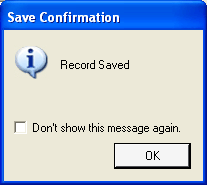
A confirmation message appears when the save is complete; unless the "Don't show..." Check Box has been checked.
|
|
 Page Setup
Configure the page for printing.
|
|
 Print Preview
Preview the Company Information printed form.
The information may also be printed from the Print Preview window.
|
|
 Print
Print the Company Information. This is the new one.
|
|
 Exit Program
Exits (closes) the program.
This is the only way to close the Company Information window until all the Required fields are complete.
|
|