|
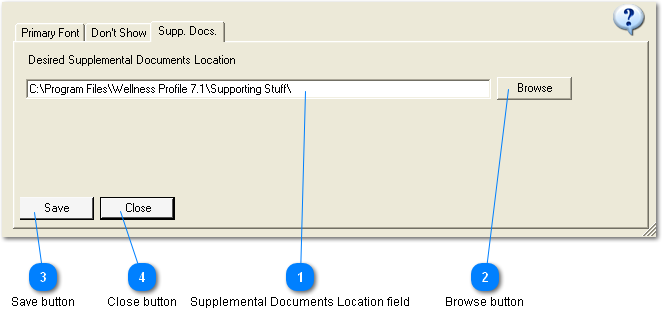
 Supplemental Documents Location field
The default location for Supporting Documents is C:\My Documents\Wellness Profile {version number}\Supporting Documents. If the user did not place the Supporting Documents in this location then the user can navigate to the correct location.
There are 2 ways to have the program open the Supporting Documents folder when it is selected from the Preview & Print menu.
-
Once the user has navigated to the folder containing the Supporting Documents and has Opened a document, the program will remember this location.
-
Under the Setup menu is Preferences and a Supp. Docs. tab. Here the user can put the complete path to the Supporting Documents and the program will always look in this location regardless of where the user last opened a document. If this field is blank then the program will revert to option 1. above.
| |
 Browse button
| |
 Save button
| |
 Close button
| |
|
|