|
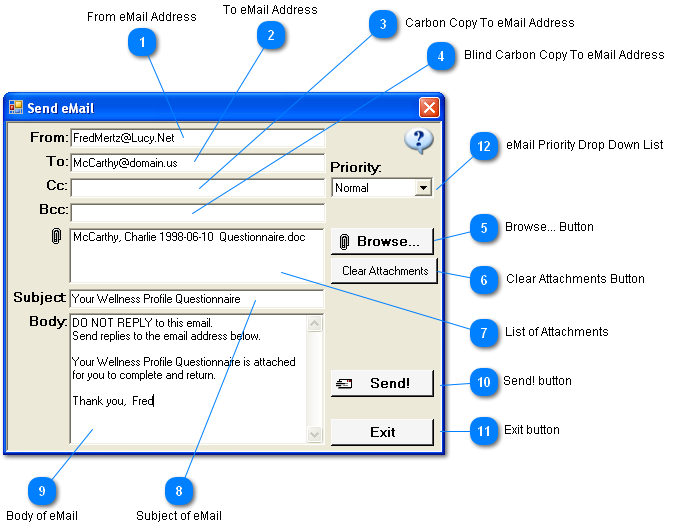
All fields in this window are editable.
 From eMail Address
When the email is sent, this is the address the recipient of the email will see that it came from.
The program automatically puts in the email from the Company Information window.
| |
 To eMail Address
The email address of the person to whom you are sending the document.
This is not automatically filled in by the program.
| |
 Carbon Copy To eMail Address
Email address of the person you want to send a copy to. Multiple addresses are allowed separated by a comma.
| |
 Blind Carbon Copy To eMail Address
Email address of the person you want to send a blind copy to. Multiple addresses are allowed separated by a comma.
In the context of correspondence, blind carbon copy (abbreviated Bcc:) refers to the practice of sending a message to multiple recipients in such a way that conceals individual email addresses (mentioned in "to" field of the email) from the complete list of recipients.
| |
 Browse... Button
Allows user to browse their computer to add additional attachments.
| |
 Clear Attachments Button
Clears the list of attachments.
| |
 List of Attachments
| |
 Subject of eMail
The subject of the email that the recipient sees.
| |
 Body of eMail
The body of the email is automatically entered based on how the Send eMail window was called.
The user is free to change, delete, or add to the body with any desired message of their own.
| |
 Send! button
Sends the email.
This may take a few moments as the program must connect to the internet to send the email.
A small message appears above the Send button while the email is being processed.
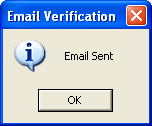
Once the email has been successfully processed a message appears that tells the user the email has been sent.
It is now OK to close the email window.
| |
 Exit button
Closes the Send eMail window and returns the user to the place that originated the email.
| |
 eMail Priority Drop Down List
Attaches a priority to the email.
|
Note:
|
This programmer never has understood the email priority. No matter what priority the sender attaches to the email, the only priority that matters is the priority the receiver gives it. The receivers priority is more likely to be based on the Subject and who it came from.
|
| |
|
|